
When "Add to basket" looks broken
· 3 min readHi again,
If a customer clicks “Add to basket” without choosing a size and nothing is added, what happens next? Perhaps the size selector turns red, or an error message appears on the page.
The problem is that neither guarantees your customer knows what went wrong.
Is colour the only clue? A customer with colour blindness may miss that change and not realise anything needs their attention. My article on colour and contrast shows why.
Will a screen reader announce it? Someone using a screen reader won’t necessarily be told when a new message appears. Without that explanation, they may think your basket button doesn’t work.
Here are two examples I found in the wild, recreated below:
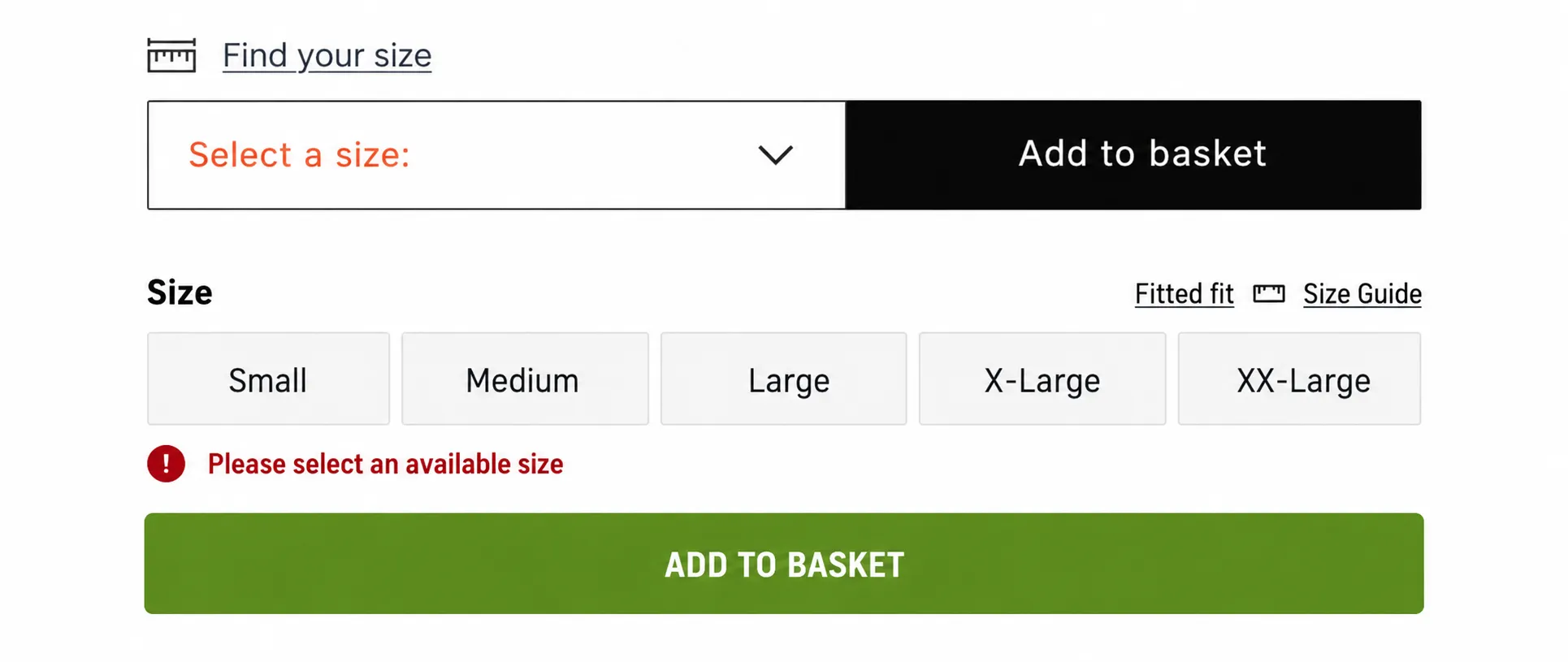
The visuals alone can’t tell us whether either message is announced.
Here’s how to get it right
Show a clear message beside the size options, such as “Choose a size before adding this item”, rather than relying on colour alone.
For screen reader users, your developer can use an ARIA live region to announce the message when it appears. This is a good use of ARIA: making sure customers hear the explanation, rather than having to find it themselves.
Pass that on to your developer, then ask them to demonstrate the whole journey with a screen reader, from the error appearing to the product reaching the basket.
The goal isn’t just to announce an error. It’s to help your customer carry on buying.
Next week…
I’ll share findings from automated scans of 59,400 Shopify and WooCommerce product pages. You’ll get them here first.
Talk soon,
Dave